
Transformer path prediction
Pre-trained embedder + spatial & temporal transformers + autoregressive decoder. From a 16-tick window it predicts each player’s future trajectory as discrete move / angle tokens in world coordinates.
A Transformer-based deep learning framework that reads a 16-tick window of the full game state (10 players, bomb, projectiles, raycast depth) and auto-regressively predicts every player’s future movement path — plus lightweight single-tick spatial models for winrate, alive-at-round-end and future kill, all inside a 3D replay studio that also scores every player’s movement and flags the least pro-like moves.
From a 16-tick window of the full game state to AI-predicted paths — replayed on real map geometry in the browser.
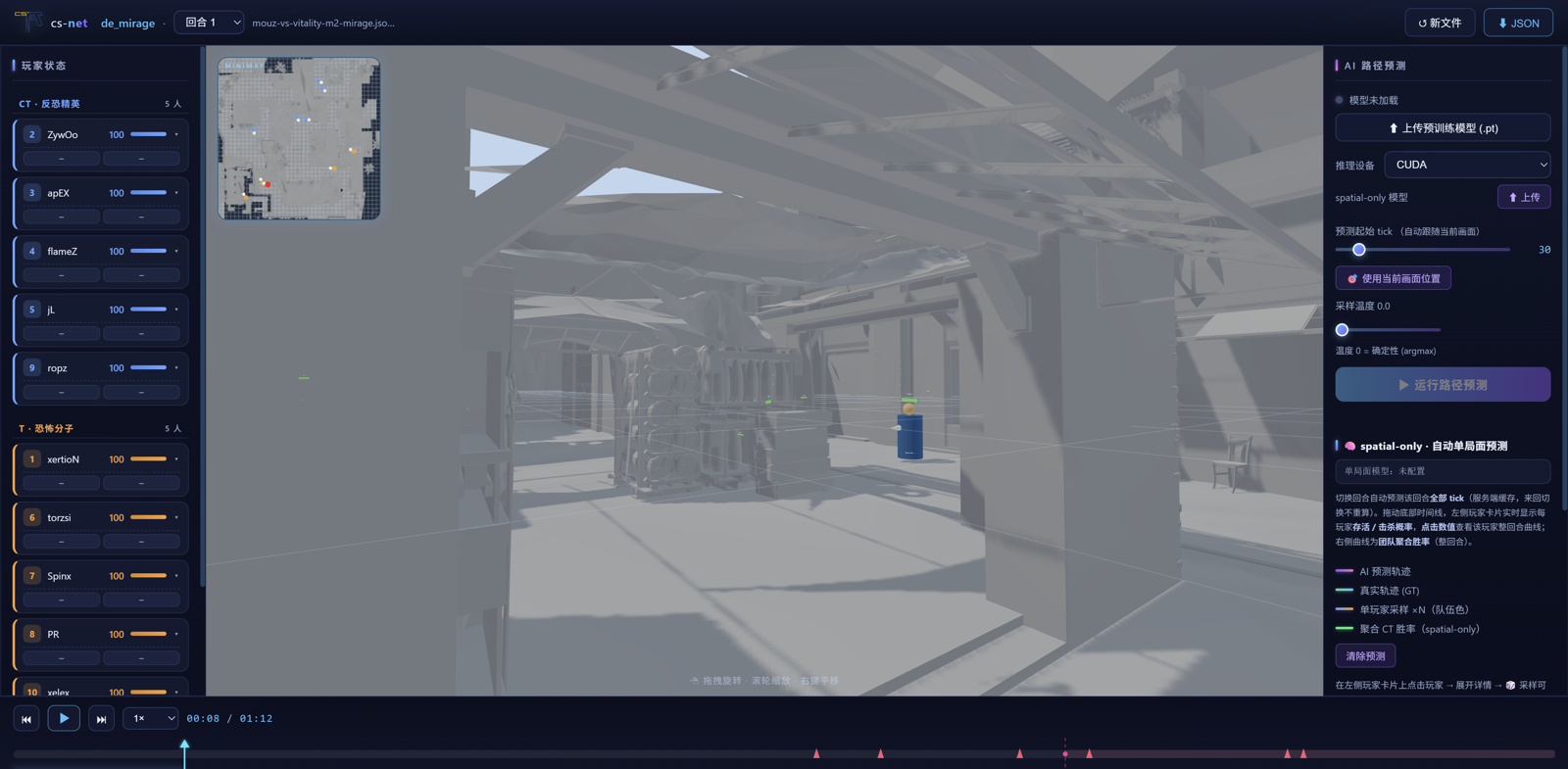
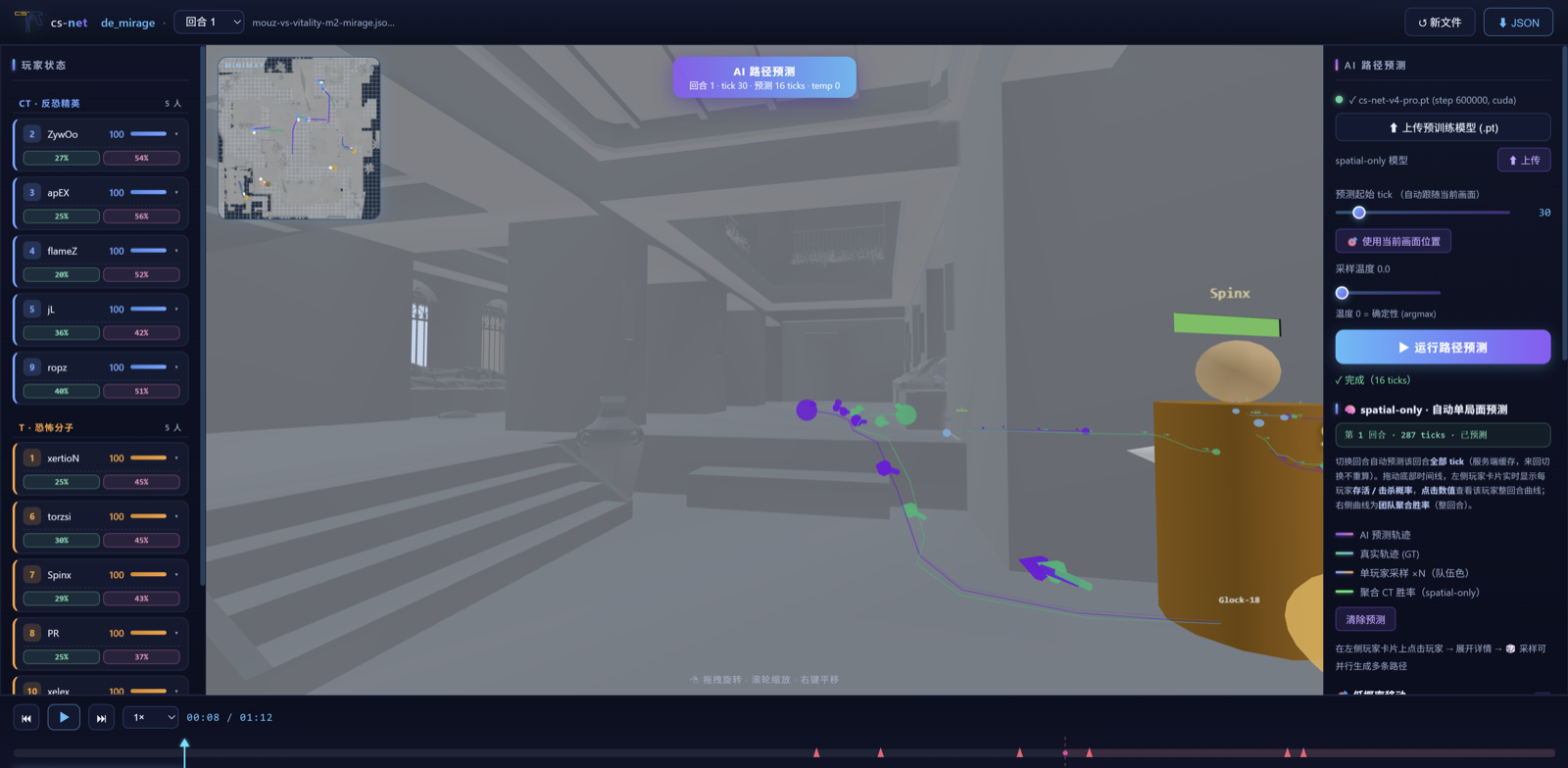
Pre-trained embedder + spatial & temporal transformers + autoregressive decoder. From a 16-tick window it predicts each player’s future trajectory as discrete move / angle tokens in world coordinates.
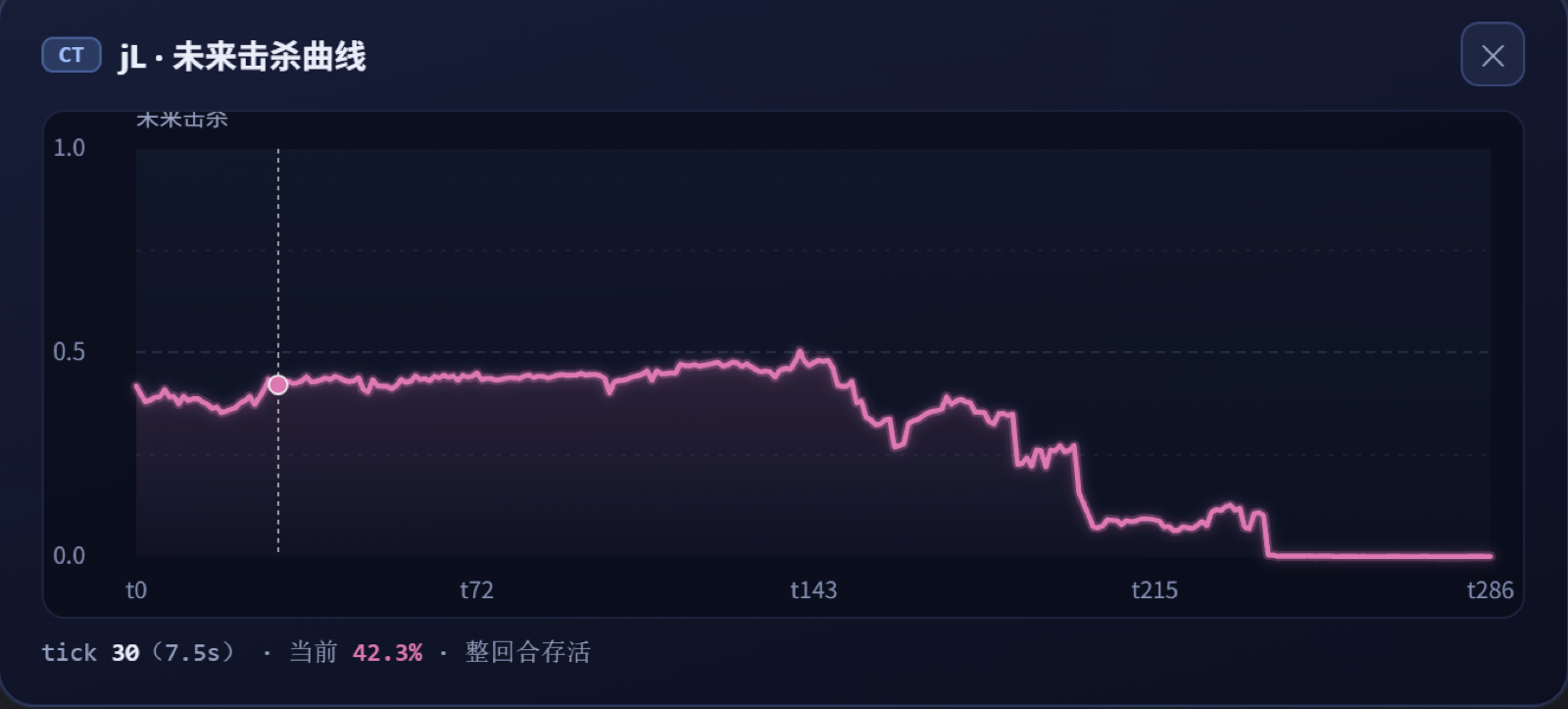
Winrate, alive-at-round-end and future-kill from a single tick. Each model = frozen-style embedder + spatial transformer + linear head — minimal and fast.
A Flask + Three.js web app: upload .dem / .json / .json.gz, replay the match smoothly on real map geometry, and overlay AI-predicted paths vs. ground truth — plus per-player path scoring: scan a round and jump straight to the moves the model thinks are least pro-like.
One click scores a player’s actual movement with the model (tick-weighted log p): the round’s lowest-scoring moves are flagged as the least pro-like. Jump to that tick, focus the camera, and compare with the AI-predicted path.
.dem → round JSON → training shards, plus a bundled test round (examples/json/test.json.gz) so the whole pipeline can be verified out of the box.
Checkpoints are served from Hugging Face; download_checkpoints.py pulls all four, and test_checkpoints.py proves they load, match the architecture and run real inference.
Runs on macOS (MPS), Windows and Linux (CUDA / CPU). The visualizer auto-detects the best device — no config fiddling on any machine.
Trained for the Pro architecture (d_model = 768 · 138.7M params). All four are hosted on Hugging Face — gary2oos/cs-net-v4.
{model, global_step} checkpoint formatFour commands from clone to a running 3D AI replay studio.
git clone https://github.com/Gary2005/cs-net.git
cd cs-net
pip install -r requirements.txtpython scripts/download_checkpoints.py # all 4 checkpoints → checkpoints/
python scripts/download_checkpoints.py --pretrain-only # path prediction onlypython scripts/test_checkpoints.py --models-dir checkpoints
# [1/3] path-prediction ckpt: architecture match, 138.7M params, forward pass
# [2/3] spatial-only models: 3 tasks load, inference is finite
# [3/3] full pipeline on the bundled test round (examples/json/test.json.gz)python visualizer/server.py \
--checkpoint checkpoints/cs-net-v4-pro.pt \
--spatial-model-dir checkpoints
# → http://127.0.0.1:5000 (device auto-detected: mps / cuda / cpu)